> ## Documentation Index
> Fetch the complete documentation index at: https://citodocs.prostack.host/llms.txt
> Use this file to discover all available pages before exploring further.
# .htaccess Import
> Import directives from Apache .htaccess files into Cito
Cito does not natively support `.htaccess` files- these are files that modify Apache web server behaviour. Because Cito runs Nginx as its web server, these files do not have any effect.
We have a `.htaccess` import wizard which will detect these files in your site (for example when you migrate from another server) and offer to import them. We display a warning under Site Settings when we've detected a `.htaccess` file that you can import.
## Supported directives
We support the following directives which can be imported:
* Redirects
* IP blocks
* Password protection
* Custom HTTP headers
Password protection can only be imported into the root of your website- we do not support password-protecting a subpath.
Custom HTTP headers apply to the entire site.
## Using the import wizard
The import wizard will list the `.htaccess` directives that we detect and allow you to select the ones you wish to import.
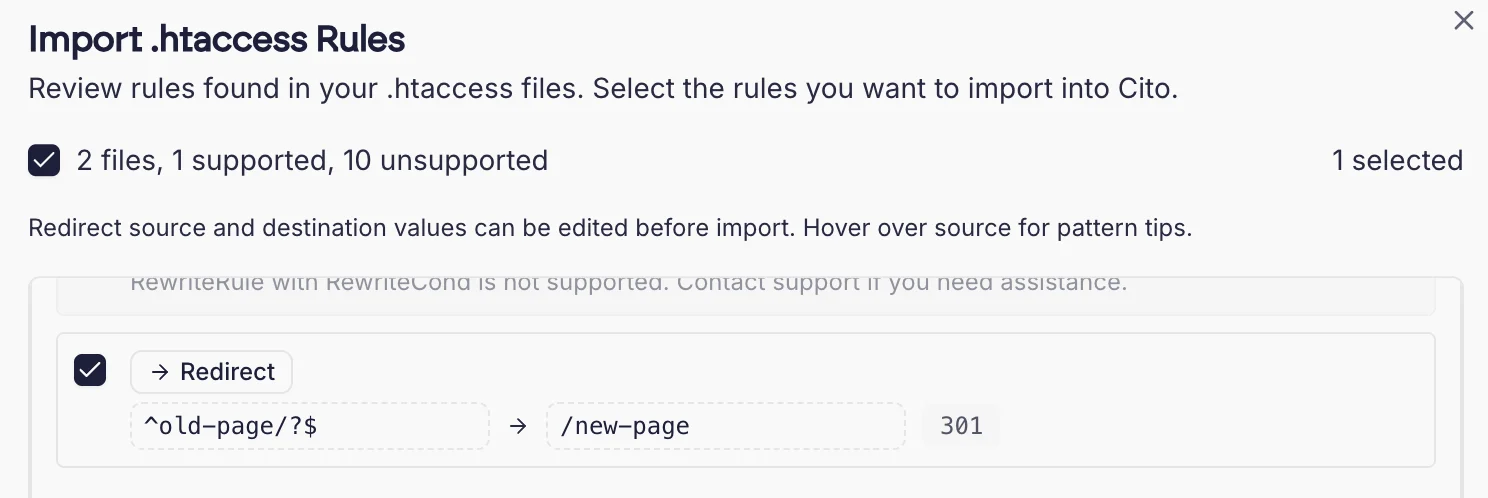 We will automatically flag unsupported rules so you can examine them. Duplicate rules will not be imported.
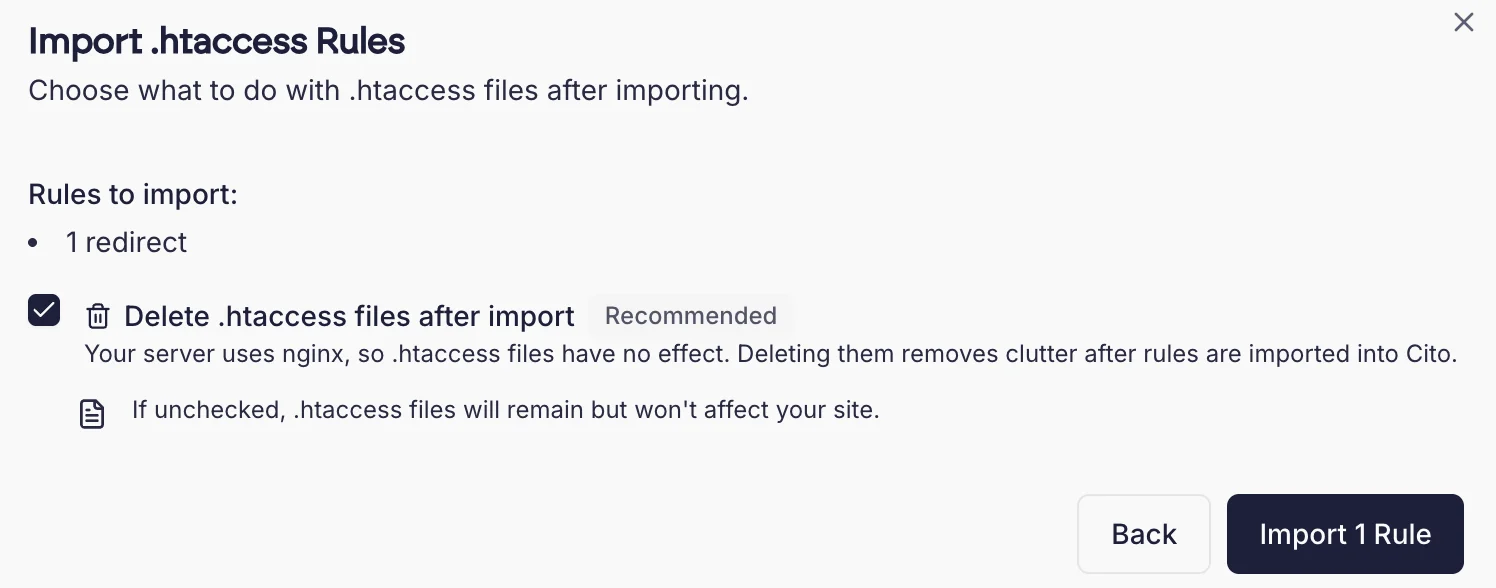
Once you have imported the rules, you'll be prompted to remove the `.htaccess` file afterwards. This is optional.
We will automatically flag unsupported rules so you can examine them. Duplicate rules will not be imported.
Once you have imported the rules, you'll be prompted to remove the `.htaccess` file afterwards. This is optional.