
- Create a new site
- Replace an existing site (overwrite)
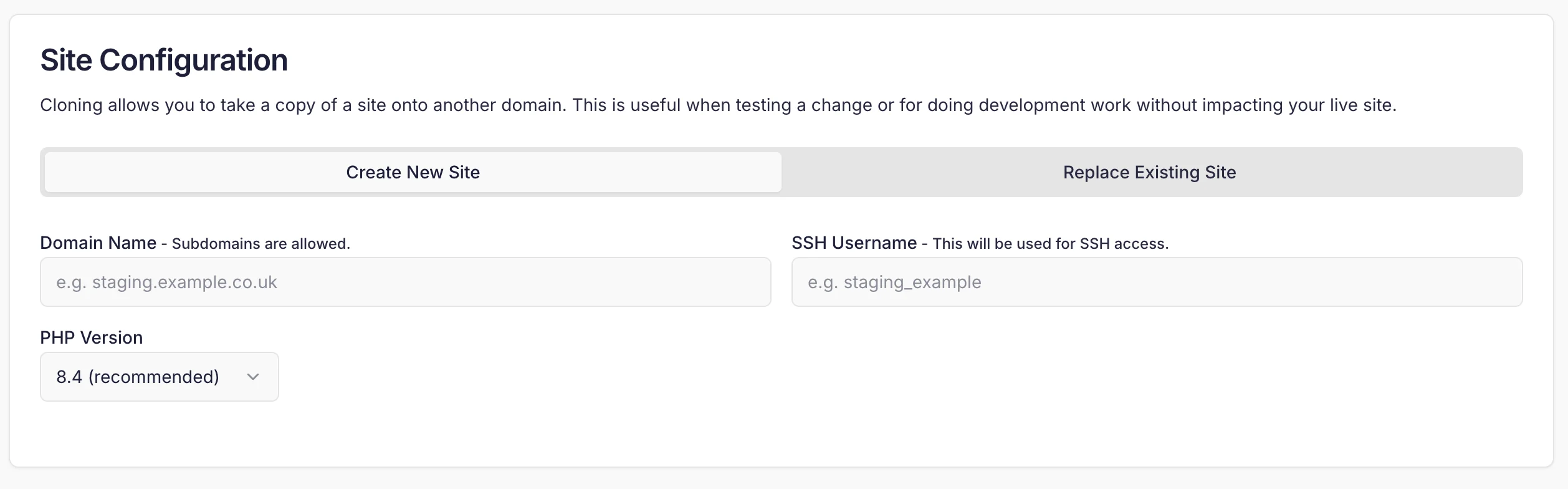
staging.yourdomain.com or clone.yourdomain.com.
You can also choose a PHP version for the site, which can be different to the one your site already runs.
Cloning databases
You can also duplicate databases as part of the Clone process. This also creates a new database user and password for the cloned database. We’ll try and automatically detect the database in use and pre-populate it’s name. You can modify this field yourself if you wish. It is also possible to clone multiple databases at once.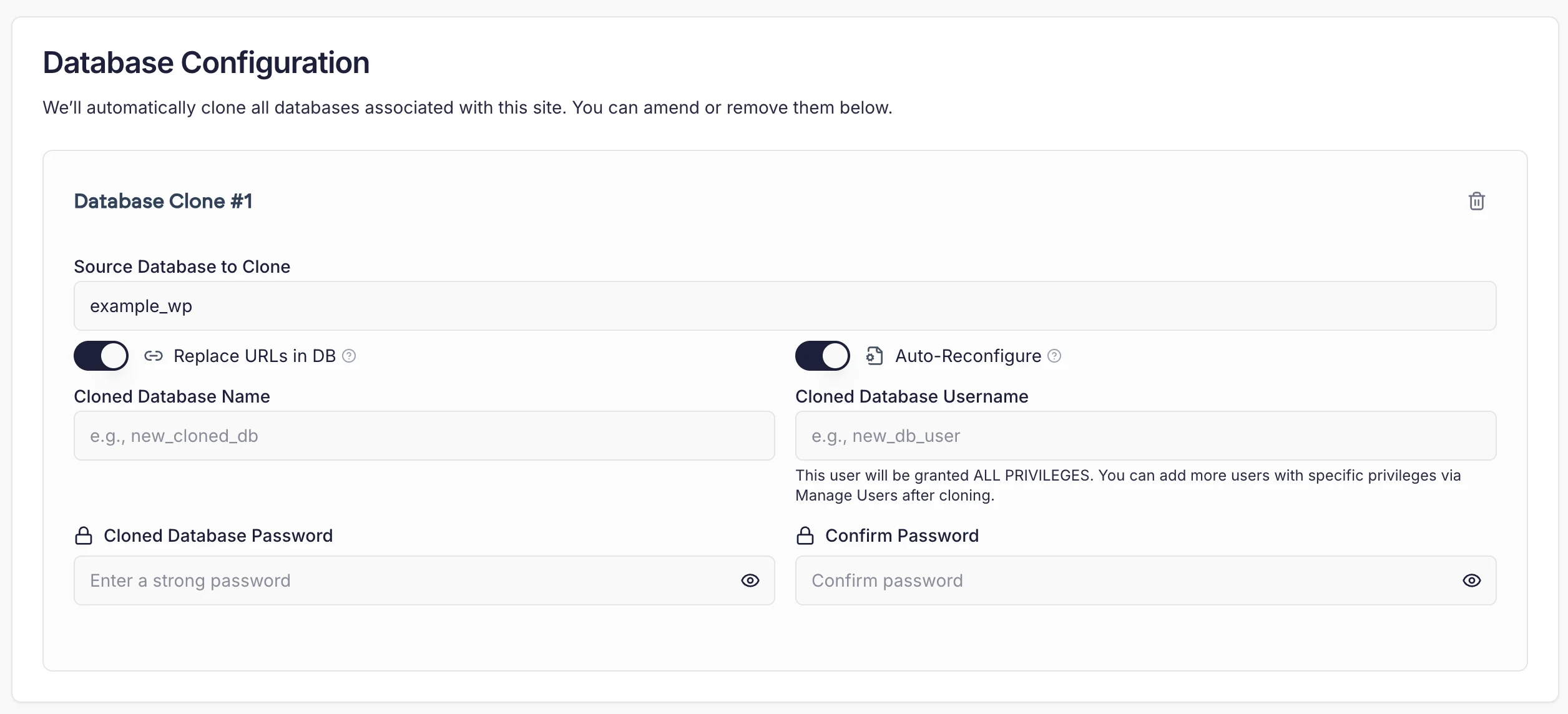
Replace URLs in DB
This feature replaces any instance of the old site’s URL with the new one, in the cloned database. This is useful if you’re cloning a site which relies on a base URL (e.g. Wordpress) and want to change it automatically.Auto-reconfigure
This feature will try and automatically update a site’s configuration file (e.g.wp-config.php for Wordpress) with the details of the newly-cloned database.
Caveats and gotchas
- The clone tool does not copy cron jobs. These can often have adverse effects when run incorrectly so we do not duplicate them. This should be done manually.
- If you are not running Wordpress, we will not automatically select a database, but you can choose one from the dropdown menu.