
mail() are supported.
Viewing logs
You can view email logs from the Email page in the Cito dashboard. This will show you an overview of messages sent, their status, and any bounces or reject reasons.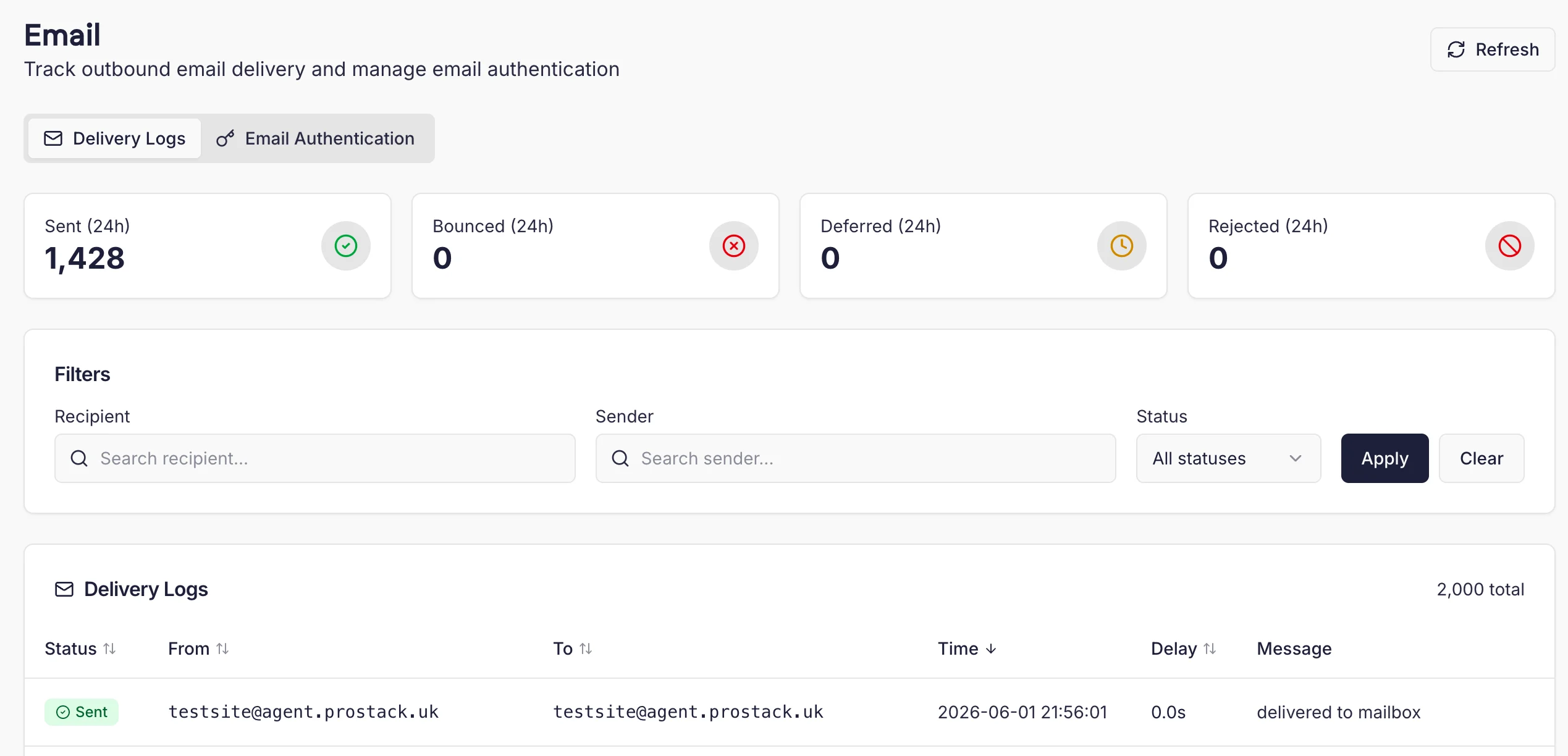
Only email sent by the server itself will appear in the logs. Mail sent via a third party service will not.
Email Authentication
Authenticating your email is an important part of ensuring it reaches recipient’s mailboxes correctly. There are three key DNS records involved in email security:- DKIM. Cito supports DKIM signing of messages sent from the server.
- SPF
- DMARC
DKIM
You can generate DKIM keys from the Email Authentication page in the dashboard, by clicking the ‘Generate Key’ button and selecting a site. Once you generate a DKIM key for a domain, all outgoing email messages for that domain will be signed with that key. You should add it to your domain’s DNS records to ensure mail is delivered correctly. Contact your DNS provider if you’re not sure how to do this. You can click “View” to see the DKIM key and check whether it exists.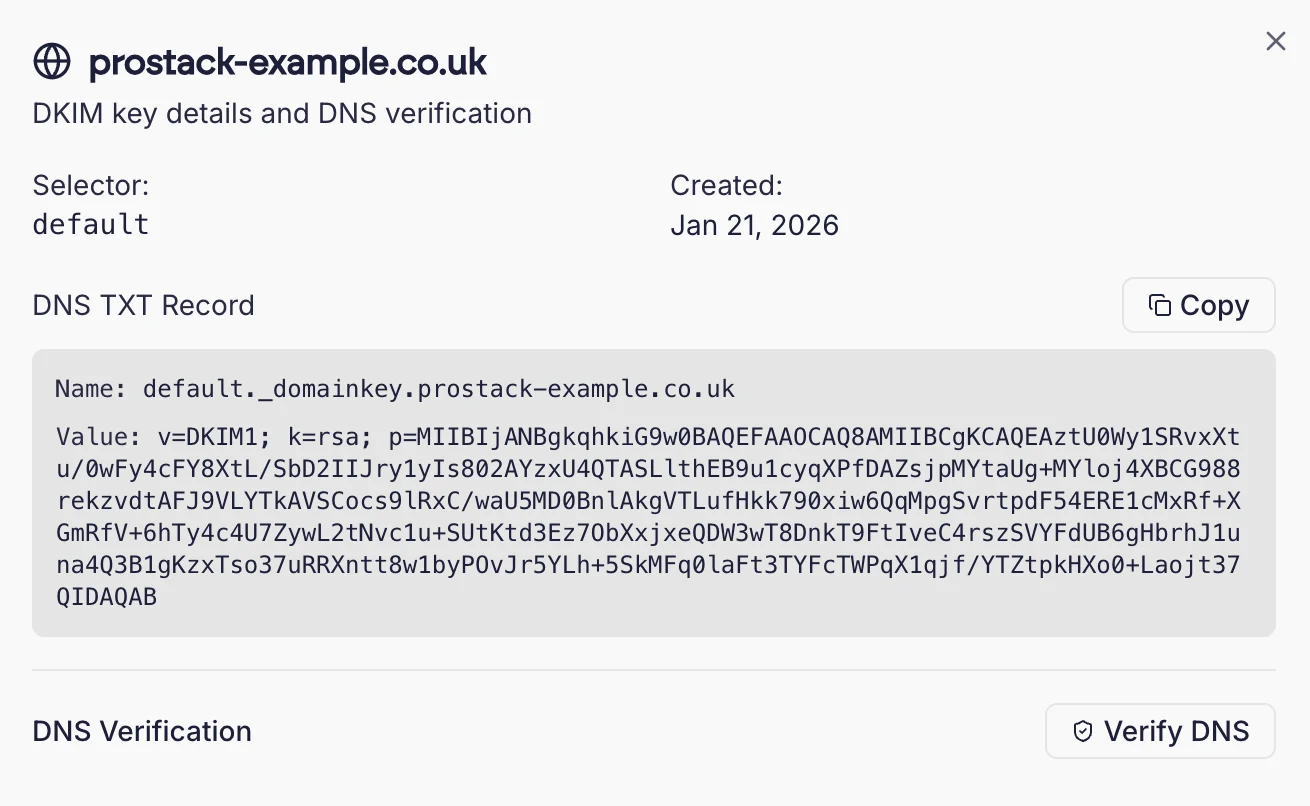
SPF
You should also ensure the server’s IP address is added to your domain’s SPF record. Usually this consists of adding an entry in the format:x.x.x.x is the IP address of the server. Contact your DNS provider if you’re unsure about how to add this.